Why Software Compatibility Matters More Than Features for Growing Businesses

 15 Oct 2026
 Reading Time : 12 Minutes
Software compatibility can matter more than a long list of features for growing businesses. Compatible tools work together reliably, reduce conflicts and downtime, support security updates, and make it easier to scale with new integrations. By checking technical requirements, integration support, staging environments, vendor support, and existing software conflicts before buying, businesses can build a more stable and cost-effective technology stack.
You register for a new application based on the claim that it will help you save your time. Once you create your account, you access the interface and encounter an interface filled with menus, obscure terms, and that impossible-to-follow installation guide.
Two minutes later, you find yourself irritated without having even tried the tool out.
Let's consider a different example. The second tool understands you and guides you through the installation process while helping to solve a real problem and always providing the next steps. In theory, both tools have more or less the same features, but only one of them is able to keep you with the product.
User experience is what brings about this difference. In a SaaS company, user experience does not mean pleasant designs or beautiful animations. What really matters here is how fast the customers learn to use the product, whether they start receiving something useful from it right away, and whether they continue using it three months later. If the product frustrates users, neither its interesting functionalities nor its reasonable price will help. It's the good user experience that matters.
What does user experience mean for a SaaS product?
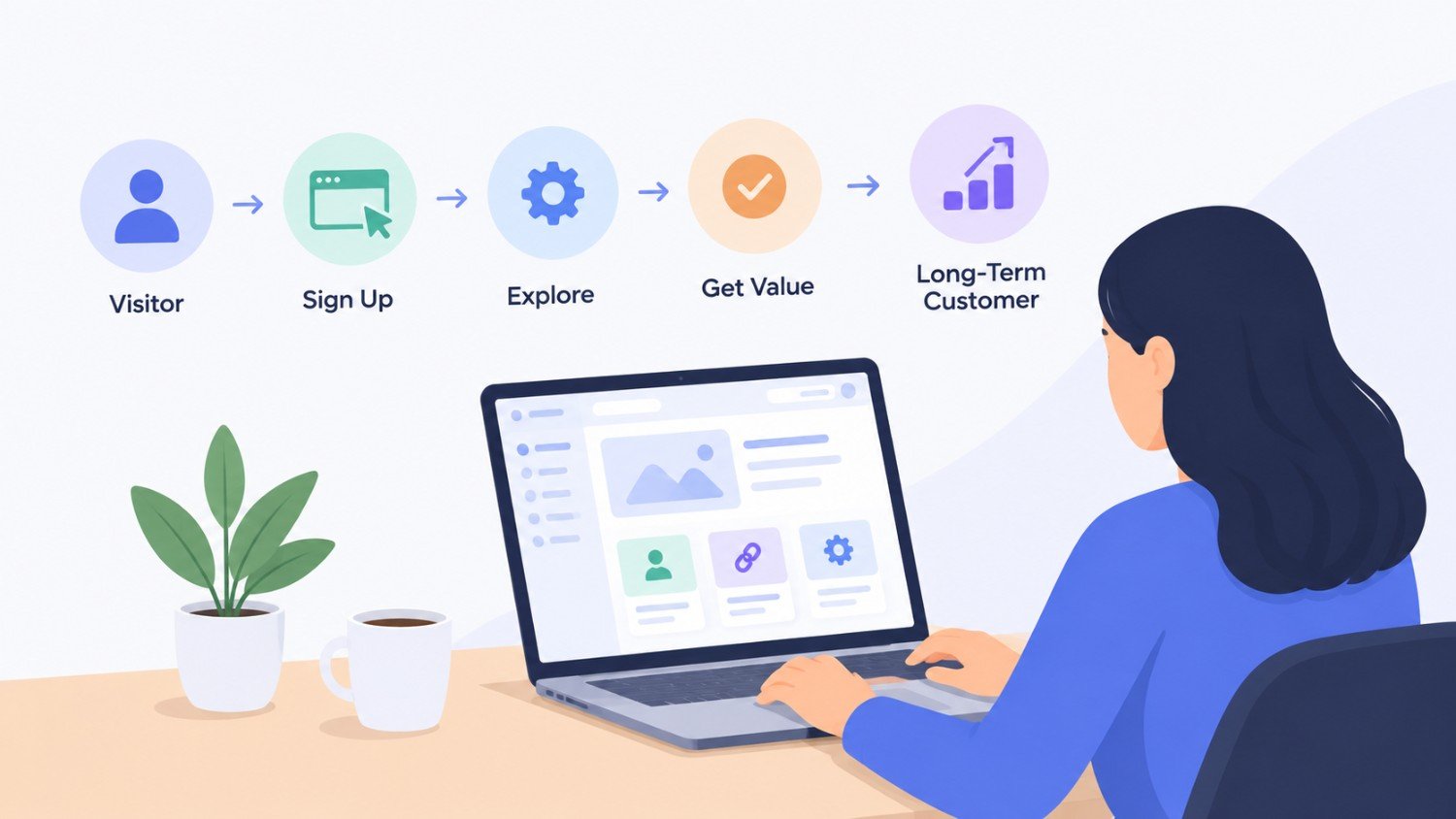
UX means a user’s experience with a product or the company. For SaaS, this means a user’s experience before they create an account. It covers things like the website they hit when they are on your service, the content they read, and the signup process.
Imagine a user interested in an email marketing tool checking out your website. They are checking the homepage, reading the available functions and pricing, and looking for compatibility with the apps they are using. If everything is done correctly, the user will have no reason to leave.
It continues right from the registration process. Whether a subscriber can import contacts effortlessly is essential. Is your system sufficiently user-friendly to walk the customer through a first campaign successfully? Is it easy to find solutions to issues that arise? Each of these situations is going to affect their opinion about your product.
Good UX means delivering on what the user came to do. However, it does not refer to concealing sophisticated functionalities. Instead, it refers to the provision of information on functionalities in a user-friendly way.
1. A good first impression brings in more signups
The same key questions spring to mind for most of us before we attempt to try a SaaS product for the first time. What is it all about? Is it appropriate for me? How much does it cost? Is it compatible with the apps I have? Is it worth investing time in learning how to use it?
Your website must provide answers without making customers to search for the information.
A project management application, for instance, can help with assigning tasks, generating reports, performing automation, and running team chats. It is not a problem to mention these multiple functions on the website’s main page. However, we also want to check how this application will help with our daily troubles. A simple explanation, a relevant example, and a convenient button for taking actions are much more efficient than the long list of features.
The same principle applies to landing pages. When users click on an ad that communicates a solution to a particular problem, they expect the landing page to elaborate on this particular issue. If it explains something else, it confuses people and lowers their trust level quickly.
Make sure that the landing page title and text correctly reflect what the visitor is looking for. If you need assistance in determining how to improve your page, an AI landing page optimizer can help you here.
The aim is not to get everyone to hook up. It is about giving the right people a chance to know the product and make informed choices.
2. Simple onboarding shows people the value
Having a registered account does not necessarily translate to a customer knowing what value they can derive from your tool. Many users jump onto the platform just to see what it has to offer them without investing a lot of time in the platform.
And that's where onboarding comes in. For example, a new user of an accounting software may need to connect their bank, upload their financial data, and learn how their expenses will be classified. If all this information is presented to the user at once, it may feel like homework.
Onboarding need not be exhaustive and cover everything at once. It just needs to teach your users how to perform the first task that, in your opinion, gives the product its value. This could mean creating a report for one product and publishing a campaign or adding a colleague to another product.
Once you determine what that first task is, you can build your onboarding around it. You can
structure your onboarding using short instructions, user cases, progress indicators, and contextual tips.
3. Basic features shouldn't be a treasure hunt
As a SaaS product matures, it builds up many features, settings, and integrations, which improve its capabilities but also make it more difficult to navigate. A brand new user might be absolutely certain of what he wants to do but will have no idea where to accomplish it.
For example, if he needs to export a monthly report and this functionality is buried under some abstract title, he will be forced to spend time looking for help instead of completing something that would otherwise take seconds. At first, this problem appears to be minor, but it keeps happening and becomes tiring.
Here is a great way to test your product. Have someone who isn’t familiar with your product attempt to achieve a simple task. Observe where they get stuck, the labels they don’t understand, and any areas that they expect to be able to find that are not easy to access. You could learn that a feature is perfect, but that people can’t figure out how to use it.
Effective navigation, conventional terminology, consistent layouts, and effective search help mitigate difficulties for users. You should also take into account the differing levels of users: an experienced manager might appreciate advanced features, whereas a new user will require more basic functionality first.
4. Consistency builds confidence
People are relaxed when the software does what they expect it to do. If one button does different things on different pages, or if some important settings keep moving positions without apparent logic, people have to stop and learn the interface from scratch. That is quite wasteful.
The situation is different if the same style is set for the main buttons, similar layouts are used for settings pages, and the same words are used at every instance. In that case, users can transfer their knowledge from one area to another.
And this is not limited to the app itself. The message delivered by the website should be consistent with what the users meet once they sign up. If the marketing promises that everything works perfectly but what they meet is rather time-consuming and rather confusing, they will not come back to your app again.
From time to time look not only at your marketing promises, but also look at your onboarding instructions, user interface, and any other types of help documentation. They should be consistent with each other.
5. Better UX means fewer support tickets
Support is vital for any SaaS company; however, some tickets are created solely due to poor product documentation. A person may not find the right configuration, or misinterpret the error message. Another person may not know how to perform a simple action.
At first, the ticket may appear to be too minor but if hundreds or thousands of tickets of similar nature keep piling up, the company has a serious problem impacting the budget and customer experience.
Going through support conversations can help observe the patterns. If many people ask how to link an external application, it may indicate that there is ambiguity somewhere in the instructions, the procedure is not intuitive, or the option is buried deep. It is better to analyze the reason for getting this question repeatedly instead of just answering it over and over.
Sometimes the solution is simple: providing clearer information, creating a better label, or adding a small note in a particular place. At times it may be necessary to change something in the product itself.
In any case, it is important to regard repeated inquiries as a signal of the customer experience level.
6. Listening to users leads to better decisions
The SaaS team members usually believe they’re competent to judge what people want. However, their understanding of issues encountered by people in real life might not be accurate.
Obtaining feedback will demonstrate that. One can learn from customer interviews, help desk requests, product reviews, and some other sources of information such as usability tests and short surveys. Analytics will put things in perspective, as it will show where users stop using the product and what features they use repeatedly.
For example, if you find out that users frequently start to set up a dashboard but never finish doing so, you’ll understand that something is wrong with this process, but you won’t know what exactly is wrong. In this case, a brief conversation with those people will allow you to gain some useful insights.
The most significant advancements usually come from the combination of what users say and do.
Furthermore, not every new feature should come directly from a request made by a client. Various customers may have different solutions to the same problem thus look for the problem rather than hear what clients want in order to find simpler solutions.
7. Test changes instead of guessing
Even the pros in product and marketing get it wrong about what users want. A shorter signup form means more people will sign up but may also lead to attracting people who don't know the product. A redesign of a dashboard may make it look cleaner but might hide the one feature that everyone is looking for. That's why testing is necessary.
You can test variations of landing pages, modify the calling action, or change the signup sequence. Services such as CustomFit.ai provide a platform to carry out these above-mentioned experiments. The product team can also run user testing and watch people perform particular operations.
Before making any changes to your customer's experience with your product or service, assess where you want to make improvements. If you are looking to boost the number of sign-ups, then track the number of people completing the sign-up process. If you want to improve your onboarding process, track how many customers finish off the important steps in the onboarding process. If you want to improve customer retention rates, you need to check whether your customers come back frequently.
Also, do not judge any changes on the basis of only one parameter. An increase in customer sign-ups does not necessarily mean a business win for you – if most of the customers do not complete the next steps after signing up.
8. Accessibility is part of good UX
When some individuals are unable to access the important aspects of a device, the device is said to be difficult to use for them. Accessibility is a key concept in designing and developing the product and should be introduced from the very beginning. Making it a last-minute addition is never effective.
In terms of a SaaS product, it means the user must be able to navigate through the interface using a keyboard, the labels of forms must be intuitive, the color combinations should be easy to read, and the messages must be meaningful. The forms must inform the user about the required information and the ways of correcting the mistake made.
Accessibility improvements make products better for disabled people and everyone else too. Being able to easily identify buttons and finding what you need quickly is beneficial for anyone who is using the product for the first time. Usability and accessibility can’t be separated.
9. Measure UX by customer outcomes
A product can impress on appearance or receive great reviews but be terrible in terms of usability. Thus, try to connect your UX work to measurable results.
Some measures that will be helpful:
-
The activation rate shows how many new users perform a key primary
action
-
The time to value shows how long it takes users to achieve real benefits
-
The task completion rate displays if users are able to perform common
tasks successfully
-
Analysis of support requests reveals recurring issues that confuse users
-
The feature adoption shows if clients find and use necessary features
-
The customer retention will show if users continue to use the product
There’s no number that explains everything. For instance, a decline in adopting a feature may either imply a potential issue with the feature’s usability, or it can simply signify that the needs of the users have changed over time.
What you need to do is to use data to figure out where to look for problems and then back it up
with feedback and direct observation. By doing this, you will spend time fixing actual problems, not just redesigning screens because they seem outdated.
Final thoughts
UX is not that thing that can be taken care of once and never revisited for the rest of the life of a SaaS software product. Products evolve, people’s demands change, new capabilities come up, and processes that used to be simple can become complex.
The companies that manage to do it smartly carry on analyzing how people are using their product. They see when people start facing difficulties. They do away with complex elements, take into account feedback from support team members, test significant changes, and ensure that new offerings are not turning their product into a more difficult to grasp one.
Fundamentally speaking, what people rarely forget when using a product is this:
customers do not utilize software tools to appreciate their functionalities; they utilize them to achieve some end results.
When customers can use a product efficiently with minimized hassle and increased assurance, they stay loyal to the product.